Tag Archives: advice

People on Flickr tend to be an easy audience for an artist to engage with because, by definition, they're already interested in photography and that often spills over to an interest in other visual areas. People on Flickr usually LIKE looking at other people's photos and they're used to doing it.

Ah, a sympathetic audience - the battle is already half won!

You can engage people even further by posting strong shots of your work - use unusual angles, take macro picks, shoot your work in interesting lighting conditions and post research photos that show what inspires your art. Flickr people have a tendency towards visual literacy and they'll respond well to good photography. We all know that it can be hard to take good descriptive photos of your work - the sort of photos that you need for applying for exhibitions. However, I've found that taking more atmospheric shots, especially close-ups, is a lot easier and it tends to be those sort of shots that people on Flickr respond to because they're more photographically interesting.

Flickr is a powerful social network and this is why I recommend it over other photo hosting services. Flickr currently has 4,000,000 users and almost a billion photos hosted on the site. That might sound daunting - with those numbers, who on earth is ever going to see your work? Well, thankfully, Flickr is set up in such a way that it's easy to share your work and make connections with sympathetic people.

There are lots of ways to be more visible on Flickr but basically you need to reach out and participate in the community. You can do this by:

  • Adding people as contacts
  • Joining Flickr groups
  • Commenting on individual photos
  • Marking other people's photos as favourites

If you do some or all of these things, then other people will usually start looking at your photos.

Make Contacts

Making contacts is an excellent way to start creating a little network of like-minded people on Flickr. It's a very informal process; you don't need to already know someone beforehand, it's fine to add someone simply because you like their photos. Very often people will add you back but it's not obligatory, so don't be offended if they don't. If someone is listed as a contact then you'll see their photos on your front page. If they add you back, then any new work you put up will automatically appear on their page, either on their front page or their contacts page. If you're regularly posting photos then all your contacts are getting regular little updates on your art and being reminded about your work in a very gentle and non-invasive way.

So where can you find some people that you like?

Well, it's likely that some of your existing friends are already on Flickr, if they are, then add them as contacts. You can also send invites to friends and family who aren't already there. That should give you a bit of a start in creating a network but if you want to find a wider range of people with similar interests to yourself, then the best way is to join some Flickr groups.

Flickr Groups

Groups are one of the fundamental building blocks of the community side of Flickr. Most groups are a combination of discussion and photos: you can post your images to a place where they'll be seen by hundreds of other people but you can also take part in the discussions, which are a good way to meet individuals.

There are groups on just every subject under the sun and most of them are open membership so you join with the click of a button, very occasionally you'll have to ask a moderator to join.

Consider joining some of the art groups: Artists And Their Art is my favourite because I like their discussions but there are masses of others. You might not like a lot of the work that gets posted to the general art groups, I certainly don't, but there are interesting artists active in some of the discussions. Also, posting photos to a group isn't like being in an exhibition, where you're often judged by the company you keep, it's far more like putting a promotional postcard up in a huge display. Of course, you should still use your discretion - if you hate everything that's posted to a group and the discussions don't appeal, then it might be better to walk on by.

Does your work use a particular technique, image, theme, style or colour? Then there's probably already a group on Flickr that covers it and if there isn't, you can always start one. I'm on a wide range of Flickr groups (61 to date - it's easy to get a little bit carried away!), from the more obviously arty ones to more unusual ones like wabi sabi suki, Coiled Knotted Twisted and Keys Keyholes Locks. Obviously it's impossible to keep up with a huge range of groups: I have a couple that I'm more involved with and just randomly dip in and out of the rest.

When posting images to groups, obey the rules; many groups limit the number of images you can post in a day and off-topic images are likely to be deleted by the mods. Even if a group has unlimited posting, don't post huge clumps of your work to a single group all at once because it drowns out everyone else's work. However, picking an image that you like and posting it to more than one group is completely fine. Personally I try to pick a wide variety of applicable groups for individual images so that I'm reaching a wider potential audience. I also do this so that I don't bore people. The same people often belong to all the groups about a single subject, therefore, to make things a bit more interesting for those people, I post different images from the same series to each of the related groups.

You can find groups by using the search tool on your Flickr page, you can search for groups, people, locations or through your own or everyone else's photos. The Flickr search engines works by searching for tags, which is why you should be using them on your own photos, otherwise you're effectively invisible to the search tool and consequently to other users.

Comments

It's perfectly acceptable to comment on someone's photo even when you don't know them. There's no need to feel shy, just dive in. The person will see that you've added a comment and the comment will usually be publicly available on that photo for others to read. Adding comments usually encourages people to come over and have a look at your work.

Obviously nasty comments are very unprofessional and aren't going to make you any friends: as my father likes to say; "if you can't say something nice, don't say anything at all!" Just ignore the stuff you don't like, there's no requirement to comment on every single thing you see (you couldn't anyway, it would be a full time job!)

Constructive criticism might be fine, especially if you've already connected with the person and know that they're open to it but the culture of commenting on Flickr is generally positive and you should bear this in mind. If you want brutally honest responses on your own work, then you'll probably need to explicitly ask for it in the text of the photo. If you happen to get a troll who hates your work and is just being abusive in comments, you can block them. It's never happened to me but if you're making more controversial work then it could be an issue.

When someone has left a comment on my work, I try to drop them a quick 'thank you' via FlickrMail, especially if they're a new commenter. I like the FlickrMail tool because it means that as well as taking part in the big group discussions, you can have personal side conversations with people. It helps to break up the vastness of Flickr and make it a lot less overwhelming.

Favourites

This is the Flickr tool that I use least but it can be useful. It's basically an extension of commenting: you mark other people's individual photos as favourites and they're then stored on a favourites page on your own page.

Where I have found favourites to be helpful is in finding new people: I've often found interesting new artists by going to the page of someone whose work I like and browsing through their favourites and contacts pages.

The Culture Of Flickr

I hope it's clear by now that Flickr doesn't need to be a dauntingly huge place where you're destined to be invisible but can be a place where, with a little effort, you and your work can be seen and respected.

You shouldn't go into it cynically though - regarding the other members of Flickr as just another marketing opportunity won't go over well. It's rude, disrespectful and contrary to the ethos of the place. Flickr isn't just a huge potential audience for your work; it's a community and you'll be a member of that community. Respect the other members and respond to them with openness and generosity.

Flickr is about sharing and being generous with your time, energy and creative thoughts can reap big rewards there. Every time you make someone into a contact, comment on or favourite one of their photos or write something interesting in a discussion, people are likely to come and see who you are - they'll read your profile and have a quick look at your work. If you're lucky (and you've made it easy for them), they might also go on to visit your other websites or act as an advocate for your work by blogging about you.

Sorry about the length of this one, there didn't seem to be a good place to cut it in half and there was a lot to say. We're nearly done with Flickr posts now though.

Get more help
If you'd like more information about building your online presence, check out the free resources section.

I am also available for online consulting if you need one-on-one help.
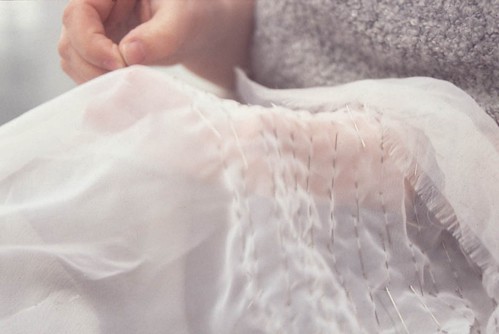

I always describe Flickr as 'simple but deep' and that's a good way to think about it. I've already explained that I like the intuitive interface, however, there's a lot more to Flickr than ease of use. I'm still coming to grips with what you can do over there but in my experience, the more you delve into Flickr, the more there is to find.

If you just use Flickr as somewhere to store your images so that you can blog them elsewhere then you're definitely not realising its full potential. Today I'm going to run through a few ways for artists to make the most of Flickr, all of which relate to the powerful communal aspects of the site.

OK, first let's quickly check what you should ideally have on your own Flickr before you start engaging with the Flickr community.

The first thing, as usual, is to make sure your actual work is up to scratch. Post good, strong interesting images of your art. Work in progress shots, clearly marked as such, are also perfectly acceptable - indeed, people usually enjoy seeing those. However, if Flickr is your only online visual portfolio, you may want to keep it a bit more formal and only post finished works.

Now sort your images into collections and sets: you can sort by date, by medium, by series or by any other criteria that makes sense to you. Once you've got the sets and collections you want, set up your front page so that your art collections and/or sets are visible alongside your photostream. This means that anyone clicking on your profile or one of your photos will instantly be able to see that you're an artist and exactly where your art images are. Always make it easy for people!

You also need to have explanatory text under each photo. Obviously it's best to do this when you upload images but if you didn't have time then it's easy enough to do it afterwards either by clicking on individual photos or, if you've got a lot to do, by using the batch organize button in the Organizer feature. When writing the text don't use too much art jargon and be reasonably concise. However, people often like to know a bit about the reality behind the art so it's fine to tell stories or to explain why this is a favourite piece of work.

If you have an art website or blog, then make sure that you include a link in the text of every single photo as well as in your profile. Having a direct html link from individual Flickr photos makes a big difference to the numbers of visitors you'll get to your website: Flickr is my largest source of visitors to The Diary Project blog because there's a direct link on every single envelope image. I'm currently running a small comparative experiment on this. Last night I checked my numbers in Google Analytics, took a note of them, then added a direct link to this site on all the art images that aren't Diary Project images. I'll let you know in a week or two how much difference it makes.

As I mentioned yesterday, your profile should contain an artists statement and/or a mini CV; a link to any other art websites; plus a way to get in touch with you, although you don't have to give out your full address if you're uncomfortable with that. Do think long and hard before putting your home address or phone number online because once it's out there, it will stay out there. I'd recommend putting a rough geographical location though, it helps to orientate people and would be helpful if someone was looking for artists in your particular area.

OK, your Flickr account should now look presentable, although if you haven't done absolutely everything on every single photograph, don't worry over much. My own Flickr follows most of these principles but it isn't absolutely perfect and I don't let it stop me taking part in the wider Flickr community. At some point I need to go through and make sure that I'm following my own advice and everything has the correct tags and explanations!

Right, on to Part 2, where I'll explain how to get started in the community side of Flickr.

Get more help
If you'd like more information about building your online presence, check out the free resources section.

I am also available for online consulting if you need one-on-one help.


4 Comments

OK, so I'm assuming that I've sold you on the benefits of using Flickr. So, how do you go about it?

I'm not going to spell out how to set up an account because that's already well covered in the Flickr FAQ and help pages. What I am going to do is give you tips for using Flickr effectively as a professional artist. Again, I'm chopping this up into manageable chunks: this post will discuss ways to optimise your own Flickr space, while the next post will look at interacting with the wider Flickr community.

Use Your Professional Name

When you're signing up, choose an account name that's as closely related to your professional name as possible. Of course, if you have a common name this might not be possible. The reason for this is that it makes it easier for Google to find you. It also links your Flickr account to your professional online persona.

The observant amongst you will note that my own Flickr name doesn't follow this rule, I'm kmhlamia on Flickr rather than kirstyhall. This is because I set up my Flickr account before I was thinking about using it as a professional space and it simply never occurred to me. Since I'm already known on Flickr by that name, I don't really want to change it, although I am considering it.

You should also use your professional name in your Flickr profile. I have done this and it means that my Flickr page comes up on the third page of Google. Since this website is my primary website, that isn't a problem for me but if Flickr was my main online presence then I'd definitely change my username to get better Google results.

Use Your Profile

Your profile is your friend: you can use it to host a mini CV and a statement about your work. Make sure that you include contact information and if you've got other professional websites, link to them. Don't make it too long - people simply won't bother to read it - and don't link to anything you don't want Google to find!

Think carefully about what you say in your profile since it's part of the professional face you're presenting to the world and it could be read by curators, collectors and fans of your work. However, Flickr is a fairly informal space so it's OK to be a bit more relaxed than you might be elsewhere. Go with what you're comfortable with.

Set Things To Public

You can set individual photos to different privacy levels in Flickr but if you want people to be able to see your work then you need to set your photos to public. You should also set your photos to bloggable to encourage other people to promote your work for you. Setting your images to 'artwork/illustration' instead of 'photograph', can help people to find your work since it's possible to search just for 'artwork/illustration' on Flickr. If your artwork contains imagery that could be considered 'unsafe', then you should read the relevant section of the Flickr FAQ carefully and set your safety level accordingly but be aware that this may limit who can see your art.

Protect But Share

While I approve of Creative Commons in general, I don't usually recommend it to other artists. However, if it's appropriate for your work, then Flickr offers the full range of Creative Commons options. Personally I have kept traditional copyright on all my Flickr images because it's important for me to retain full control over my work. However, I also put a note in my profile saying that it was fine to blog my images without asking but any commercial use needed my explicit permission.

Putting any image of original artwork up on the web is always a risk. Posting lower resolution photos limits the risk of people printing out copies but you do have to keep an eye out for people nabbing your images and claiming them as their own. If you're really worried you can put watermarks in your images before you upload them to Flickr. However, I believe the best defence against this is to become well known online and I'll be discussing ways to build up your internet art profile in later posts.

Tag Your Photos

Tags are one of the most useful tools on Flickr and can help you in lots of ways. Firstly, they make your own life much easier. For example, perhaps you have a series of artworks about the same subject but you uploaded the photos at different times. Instead of searching for each photo individually within your photostream and maybe missing some, you can do a search using your tags. You can also search for images which don't have any tags, just in case you forgot to tag some of those particular photos.

Tags can also make it easier for other people to find your work because they can search for tags within the whole of Flickr or just in your account. Of course, this works better if you've got fairly specific tags; 'painting' will bring up thousands of images but since you can add more than one tag, you can label things in more than one way.

Kirsty Hall - art, performance, pin ritual

I usually use a combination of title, medium, themes, colours and materials for my tags.
For example, this image of Pin Ritual is tagged with the words, pin ritual; pins; art; performance; sculpture; white; repetition; domesticity; labour and textile art.

Decide How Pure You're Going to Be

If you're conceiving of your Flickr space as largely a portfolio for your work then you need to decide how pure you're going to be. Are you going to show work in progress, related visual research or are you just going to show finished pieces of art?

You also need to decide if your personal photos belong on your artistic Flickr account. It is possible to completely separate out the personal and professional by having more than one Flickr account but there does seem to be a fairly large acceptance of mixing photos on Flickr. Including a few more personal photos can make you seem more human rather than less professional, although obviously if photos are really personal then it might not be appropriate to have them within a professional space! However, you can also set privacy levels on individual photos so that only people you've marked as family and/or friends can see them (apparently you can send personal invites to non-Flickr members, something I only learnt today).

If you do want to maintain two completely separate accounts on Flickr then make sure the personal one doesn't link to your professional one and doesn't use your real name in any way or Google will probably join up the dots.

Organise Your Photos

Organising your photos into collections and sets can help your Flickr be both more professional and more accessible. You can set your Flickr page to show both your photostream and your collections or sets and I'd strongly recommend doing so because it allows people to instantly find your art without having to trail through lots of possibly unrelated images (this is particularly important if you do decide to mix personal and professional photos).

Use Descriptive Text

Every image that you upload to Flickr has a space underneath where you can write a description - use it! It's also a good idea to write more general explanations in the descriptive text box of your collections and sets because that provides people with more background to your art, all nicely presented in easily digested little bites.

If you want people to visit your other web spaces, then put a link in the image text. This is what I do with The Diary Project images on Flickr: they all have the same standard explanatory text, with just the date altered and a html link to the Diary Project blog where people can find out more about specific images. My other art images don't have a direct weblink within the text box and I've just worked out that this is why the Diary Project gets considerably more visits from Flickr than this site does.

Right, that's all for this part, next we're moving on to the importance of taking part in the community aspects of Flickr.

Get more help
If you'd like more information about building your online presence, check out the free resources section.

I am also available for online consulting if you need one-on-one help.


17 Comments

So what is Flickr?

At its most basic level, Flickr is a photo hosting service. Photo hosting services are sites on the web where you can upload your own photos, either free or for a small charge. These photos can then be shared with other users of the internet without the need for your own website space. You can read this Wikipedia article if you want to find out more about the concept of photo sharing.

Flickr is not the only photo hosting service, there are plenty of others including Photobucket, Kodak, Fotoblog and Zoomr. I have used a couple of other photohosting services in the past but then switched completely to Flickr because it was so much better. I haven't used every single photo hosting site so I don't know how all the others compare. That said, I do think that Flickr has a lot of features that make it ideal for artists and we'll get to these shortly.

Why do I need a photo hosting service?

Unless you are already in a position to put up a dedicated website where you can host your own photos then in order to make a simple visual portfolio online, you'll need somewhere to host images.

Even if you do have a dedicated website on your own domain name, you'll probably still need a photo hosting site. I find I use Flickr just as much now as I did before this site launched.

Later in this series, I'm also going to be strongly encouraging artists to blog and if you're an artist blogger then being able to quickly and easily share your photos is vital: nothing is more dull than a visual blog with no visuals - I know, I've done it!

However, right now we're going to concentrate on how to use Flickr to make a simple online visual portfolio.

The Advantages of Flickr

It's probably obvious by now that I'm a fan of Flickr. There are lots of reasons for this:

Flickr Is Easy To Use

If you have a computer, an internet connection and a way to get your images onto your computer then you can use Flickr - it really is that simple. Even as a beginner you should be able to upload images, label them, sort them into galleries, tag them and very quickly end up with a presentable display of your art.

Flickr looks good

This is a personal opinion and you might disagree but I think that Flickr has a clean, pleasant interface that looks reasonably professional. In addition, unlike somewhere like Facebook, you can also do a certain amount of restructuring: it'll never be as adaptive and individual as a personal website but you can have a decent amount of control over how your images are displayed.

Flickr is community based

This is hugely important because in effect, Flickr already contains a massive captive audience. What's more, it's a captive audience who are unusually sympathetic to visual culture and already used to looking at each other's images and giving feedback. Naturally a lot depends on how you approach people but I've honestly found the majority of people on Flickr to be very approachable and sympathetic towards artists. You can never overestimate the importance of an interested captive audience, it's like gold dust to any artist and remarkably hard to find. That audience already exists on Flickr; even if you already have your own website, do you really want to ignore that audience?

Flickr Makes Networking Easy

This is related to the community based aspect of Flickr. There are lots of tools on Flickr that break the massive user base down into smaller, move navigable chunks. I'll be talking about these tools in detail in a later post.

Flickr Is Cheap

Flickr is either free with ads and limitations or $25 a year for a more extensive ad-free service. As a way of making a simple yet presentable visual portfolio that already comes with an in-built sympathetic audience, this is a complete bargain!

Of course, Flickr isn't perfect, many Flickr users have been unhappy about some of the changes which have occurred since Yahoo bought the site in 2005. In particular it may not be the best choice if you make art which is very sexually explicit or graphically violent because Flickr does have restrictions on adult content. In addition, you can't actively use Flickr for selling. However, there are lots of artists on Flickr and I've not heard of people being kicked off for promoting their art on there. While it would be wise to avoid things like having prices on your images, I'm pretty sure that you could link to a selling site like Etsy in your profile without any trouble since I've seen plenty of people doing just that. This article from Wikipedia and the Flickr guidelines give more background detail and should give you a better idea if Flickr is a place you'd feel comfortable.

The next article in this series will concentrate on the nuts and bolts of setting up an account on Flickr and some handy tips for making the most of it.

Get more help
If you'd like more information about building your online presence, check out the free resources section.

I am also available for online consulting if you need one-on-one help.


4 Comments

There are two basic things that artists need to be visible online:

A visual portfolio
A way of attracting people to that portfolio

Since this is a large subject, I'm going to be breaking it down into little chunks. Today I'll be examining the first of those things.

Visual Portfolios

Basically put, an online portfolio should contain images of your work, some explanatory text and a way for interested people to contact you.

The best way to host an online portfolio is to have your own dedicated website with your own domain name. There are several reasons for this - Lisa Mikulski has a very helpful post on the subject and I absolutely agree with her assessment.

However, putting together a professional website takes both time and money, two things many artists lack. Making your own website is definitely something I recommend and I'm going to look at it more deeply in the future but right now, I want to encourage you to take that first small step towards an online art presence. If you're new to the idea of having an online visual portfolio, then taking a simpler step can be a lot less intimidating and far more achievable.

Even if you're already experienced with the internet, designing a website can be very overwhelming. I'd been 'meaning to get round to it' for at least ten years and had made several abortive attempts to design a site myself. Eventually I had to admit to myself that I was never going to design and code my own site and the only way it was ever going to happen would be if I paid someone else to do it for me so I hired my friend Steve Taylor, who's a professional web designer and he did a fantastic job. It was a very smart decision and I'm happy with the result, but I'd be lying if I said that getting the site up was a quick and easy process: it was a lot of work and took several months.

If you're anything like me, the idea of spending months looking through your old images and writing blurb won't fill you with delight and you'll probably put it to the bottom of your to-do list. Sure, you know you ought to do it but hey, it's so much work and you have that show coming up and you need to be in the studio and, and, and...

Well, I think we all know how that one goes, right! Yep, another year goes by without anything happening and that's another year when you're invisible online to curators, collectors and other people who might be interested in your work if they could only see it.

And that's why I recommend to artists who want an online presence but are limited by time, money or perfectionism issues (that would be all of us then!), that they make a start RIGHT NOW - don't wait until all your ducks are in a row before you begin.

So what is this first simple step, I hear you ask? Well, there are several options but the one that I always recommend is to get a Flickr account.

Certainly you can start making arrangements to get your own website - budget some time and money to do so and if you think you'll procrastinate about it, do what I did and register and pay for your domain name now (type 'domain names' into Google and you'll get dozens of sites who are desperate to sell you a domain name). This stops someone else nabbing your desired domain name but it also pushes you in the right direction. Even though it's very cheap to register a domain name, the fact that you've paid for it for a year acts as both a mental place marker and a little encouraging push: it tells your subconscious that you've made a definite commitment to get your website done and you'll probably find it niggling away at you until you do it. But in the meantime, get some images up on Flickr.

In the next article we'll be looking at why I recommend Flickr.

Get more help
If you'd like more information about building your online presence, check out the free resources section.

I am also available for online consulting if you need one-on-one help.


47 Comments

Yesterday I mentioned the importance of having your work available online. Today I'm going to expand on that and give two reasons why I think this is important.

MAKE LIFE EASY FOR CURATORS - THEY LIKE THAT!

Things have changed in the art world: I believe that curators increasingly expect to be able to find information about artists online. Of course, it could just be me, I am very immersed in the net, having been online for about 12 years at this point. However, I personally know several other curators who take a similar approach to me.

That's not to say that curators primarily look for artists online yet (although I know at least one who does) but I believe curators are using the web to expand their knowledge of an artist who has come to their attention.

When I'm curating an exhibition, I still advertise for artists through print media and expect artists to send me postal applications. However, if I get a postal application and I'm interested in the work, my next step is always to Google the artist's name to see if I can find more images of their work. I won't discriminate against an artist if they're not online but it does make it harder for me to accurately judge their work.

In an exhibition application it's usual for the curator to set limits on the number of images that an artist should send. Briefs typically say something like "10 images max" and it can often be less than ten. This is to prevent curators being absolutely inundated in stuff: if you get 50-70 applications for an exhibition you simply don't want to look at every single piece of work each individual artist has ever done!

However, it's quite difficult to judge an artist from 10 imges or less, a CV and an artists' statement. So I Google. Googling artists puts an artist in context for me and expands on the information that they've already sent me, allowing me to make a fairer and more informed judgement about their work. It also allows me to make my own judgement on which piece to include. Sometimes an artist will send me images of what they think is their best piece but if I can see more of their work online, I might find a piece that is actually much more appropriate for the show I'm trying to curate. That can make the difference between being included in a show and being turned down.

So can you see how having a visible online presence can widen the odds for you?

LET OTHER PEOPLE DO YOUR PROMOTION FOR YOU

By being visible online (under your professional name, of course), you allow other people to do your promotion for you. This works largely through the medium of blogging, although occasionally artists are picked up by the larger mainstream media because a story about them has appeared online.

British artist Lauren Porter got global media attention when she made a lifesize knitted Ferrari for her degree show at Bath Spa University.

ferrari

Now I don't know whether she first got attention in the mainstream media and it then spread online or if it was the other way round but either way, the fact that photos of her work were available online meant that it was very easy for bloggers and online communities to distribute the story. It went through the enormous online knitting community like wildfire but a quick look on Google shows that it was also linked in geek blogs, car enthusiast blogs (including the Ferrari Owners Club), craft blogs, art blogs, popular news blogs like Digg and even YouTube: the coverage was truly vast.

Visitors to her Bath Spa University degree show would probably have been in the hundreds, maybe as high as a thousand or so but I'm absolutely certain that millions of people saw her work in newspapers, magazines and online. What a way to start your art career!

Of course, Lauren's piece was an incredibly appealing story and wouldn't have been a hard sell in any media but I believe that any artist can find themselves being promoted by other people through the medium of blogs if they're doing interesting work. Even if you don't break out into the mainstream media, there are a large network of artist bloggers, some more influential than others, who will happily link to your art if you make it easy for them to do so.

Of course, being easily found online won't mean that you never have to do any promotion but it does mean that once you've started the ball rolling, other people might pick it up and run with it for you.

Neither of these things will help you if your work isn't any good: making good work must always be every artist's first priority. But if you've reached the stage where your work deserves a wider audience then building an online presence can help to give you a leg-up in the art world and may bring opportunities your way.

Building a visible online presence should never be all the promotion that you do but it should definitely be some of what you do. If you're not on Google then you're basically invisible in the modern world and artists who want to succeed just can't afford that.

Over the next few weeks, I plan to follow up this article with more detailed ones about how to create a visible online presence.

Get more help
If you'd like more information about building your online presence, check out the free resources section.

I am also available for online consulting if you need one-on-one help.


From the Behance website.

When you complete a list of action steps, your instinct might be to throw the list away. After all, the work is completed! However, some creative professional teams take a different approach; they relish their progress. Some go so far as surrounding themselves with it.

to-do

As a compulsive list maker, this photo made me laugh. I don't need to do this because I end up with finished pieces of art to remind me that I've completed things but I can certainly appreciate the motivation. I have been known to sneak things onto my to-do list after I've already done them just so I can have the reward of ticking them off. And for very special occasions - like launching the website - I use gold stars on my lists. The website was the first of my ten goals for 2007 to be completed so I crossed it off and put a gold star next to it. I'm so mature.